IT Technician: Types, Duties, Training, Certification and Salary

An IT technician is an entry-level information technology support professional who keeps an organization's computers, software and peripherals running for the people who use them. An IT technician resolves the everyday faults that stop a worker from working, such as a laptop that fails to boot. The occupation belongs to the computer user support specialists group in United States labor classification. That group places the role beside help desk technicians, not beside software developers or network engineers. The scope of the role therefore covers user-facing equipment and applications, and that scope shapes its six main types and its six core duties.

The value of the IT technician position comes from its function as the entry gate to tech jobs. Entry level IT jobs in support ask for a high school diploma plus a foundational certificate such as CompTIA A+ rather than a four-year degree. The training and certification behind the position build hardware, operating system and networking fundamentals that later roles reuse. The IT technician salary rewards that foundation early. The Bureau of Labor Statistics (BLS) recorded a median annual wage of $61,860 for computer user support specialists in May 2024. That median converts to $29.74 per hour. Knowing all five facets lets a candidate judge the fit of the position. Each facet rests on the definition of the position.

What is an IT Technician?
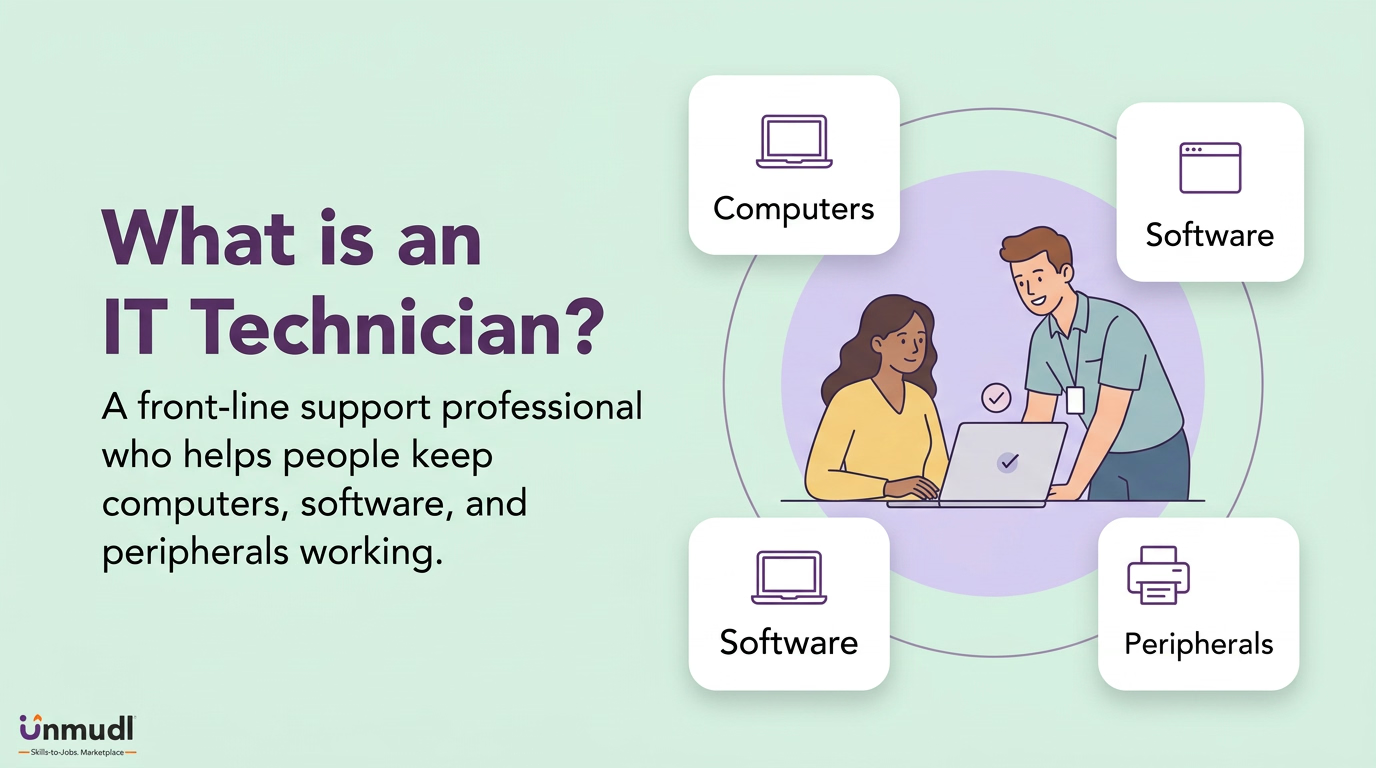
IT technician helping users keep computers, software and peripherals working

An IT technician is a front-line computer support worker who provides technical assistance to computer users and restores hardware, software and peripherals to working order. The IT technician meaning in labor data matches the user support specialist category, which lists help desk technician and IT support specialist as reported job titles. Job advertisements shorten the title to IT tech, and IT support jobs carry the same work under those labels. The question of what is an IT worker has a wider answer. An IT worker is any employee in an information technology occupation, while an IT technician is the support member of that workforce. The boundary of the technician role sits at the user's device, and the device is where the technician's work begins.

What does an IT Technician do?
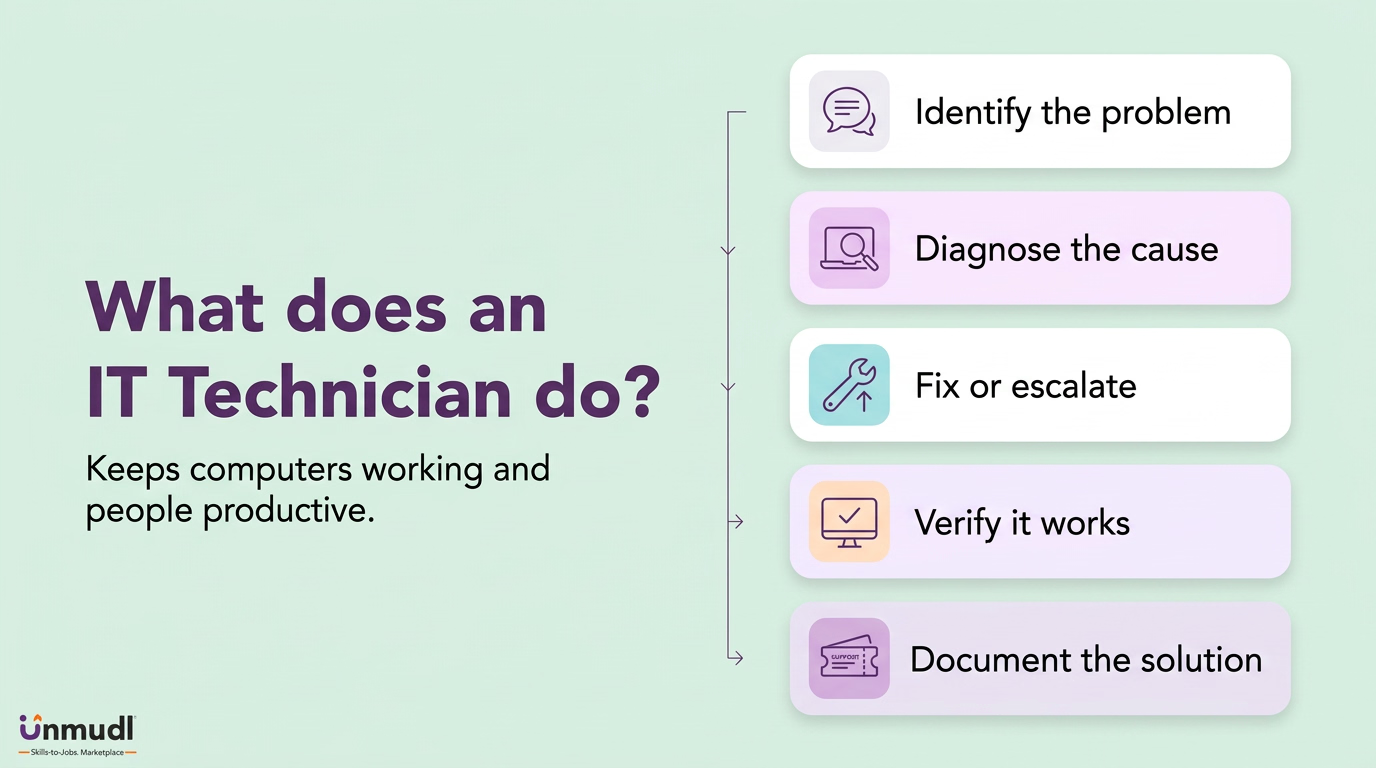
IT technician workflow: identify, diagnose, fix or escalate, verify and document

An IT technician works by identifying a user's technical problem, diagnosing its cause, applying or escalating a fix, and verifying the result. Identification starts with the user's report. Diagnosis tests the hardware or the software until the fault is isolated. The fix follows the diagnosis: a reinstalled program, a replaced cable or a reset password. Escalation replaces the fix when the fault sits beyond the support tier. Verification closes the cycle when the device boots without error. Documentation records the problem and the fix in a ticketing system for the next technician. This cycle makes the support worker the first line of defense against disruptions, and the cycle repeats across every type of the role.

What are the Types of IT Technician?
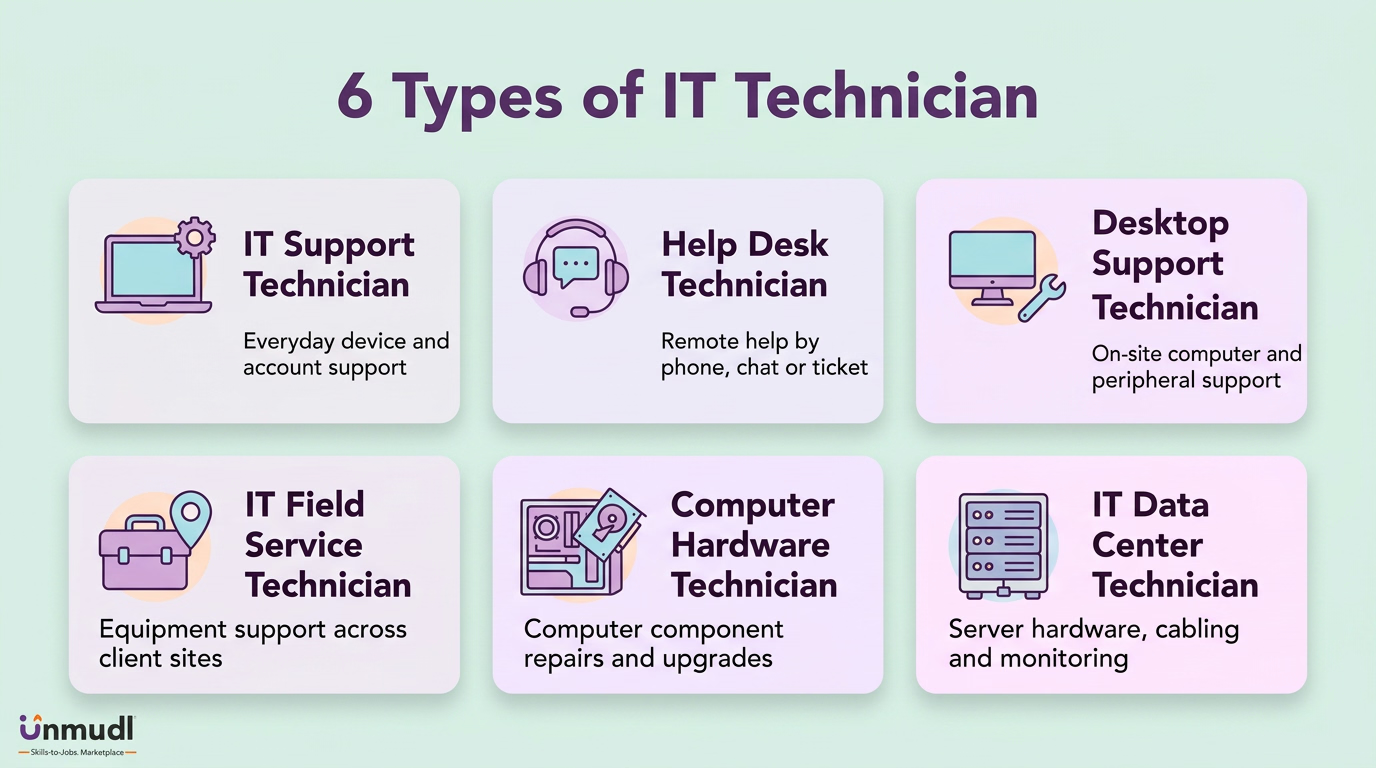
Six IT technician specialties: IT support, help desk, desktop support, field service, computer hardware and data center

There are six main types of IT technician based on where the served user sits and which layer of equipment the technician handles. The types are IT support technician, help desk technician, desktop support technician, IT field service technician, computer hardware technician and IT data center technician. Each type opens a different door into technical careers, and the six are defined below.

1. IT Support Technician

An IT support technician is a generalist support worker who handles every Tier 1 request that reaches the support queue. The generalist scope covers password resets, software installs, printer setups and account permissions. That breadth builds the widest skill base of the six. Employers staff small offices with this type because one worker covers every device.

2. Help Desk Technician

A help desk technician is a remote-first support worker who answers user requests by phone, chat or ticket. The remote channel means the worker fixes a fault through remote-desktop tools. Speed of response defines a help desk, so the type trains rapid triage. Employers place this type in call centers and IT operations centers.

3. Desktop Support Technician

A desktop support technician is an on-site support worker who services the workstations, laptops and peripherals inside one building. The on-site position lets the worker open a case or swap a drive. Physical access to the machine separates this type from the help desk. Employers pair the two so that hands-on faults reach a different queue.

4. IT Field Service Technician

An IT field service technician is a travelling support worker who visits client offices to install equipment, set up networks and repair hardware. Travel between sites turns each visit into a planned job rather than a queued ticket. Employers in IT service firms rely on this type to serve many clients from one team.

5. Computer Hardware Technician

A computer hardware technician is a component-level support worker who assembles, upgrades and repairs the physical parts of computers and printers. Component-level work means the worker replaces a failed power supply instead of the whole machine. Repair at that depth lowers replacement spending. Employers with large device fleets keep this type in a workshop rather than at a desk.

6. IT Data Center Technician

An IT data center technician is an infrastructure support worker who racks servers, runs cabling and monitors the hardware inside a data center. The infrastructure setting shifts the served user from an office worker to a systems team. Uptime of the servers, not satisfaction of a caller, measures the work. Employers with their own server rooms treat this type as the bridge to systems administration.

The table below compares the six types on the served user, the equipment layer and the employer setting.

Type

Served User

Equipment Layer

Employer Setting

IT support technician

Every user in the support queue

Every device, from passwords and software installs to printers and account permissions

Small offices, one worker per office

Help desk technician

Users reached by phone, chat or ticket

Remote-desktop tools

Call centers and IT operations centers

Desktop support technician

Users inside one building

Workstations, laptops and peripherals, opened on site

One building, paired with the help desk

IT field service technician

Client offices visited in turn

Installed equipment, networks and repaired hardware

IT service firms serving many clients

Computer hardware technician

Large device fleets

Physical parts of computers and printers, replaced at component level

A workshop rather than a desk

IT data center technician

A systems team

Servers, cabling and data center hardware

Employers with their own server rooms

Common misreading

A help desk technician and a desktop support technician serve one queue

Physical access to the machine separates the two types

Employers pair the two so hands-on faults reach a different queue

Reading the six types by location and equipment layer lets a candidate choose their setting, and every type carries the same core duties.

What are the Duties of IT Technician?
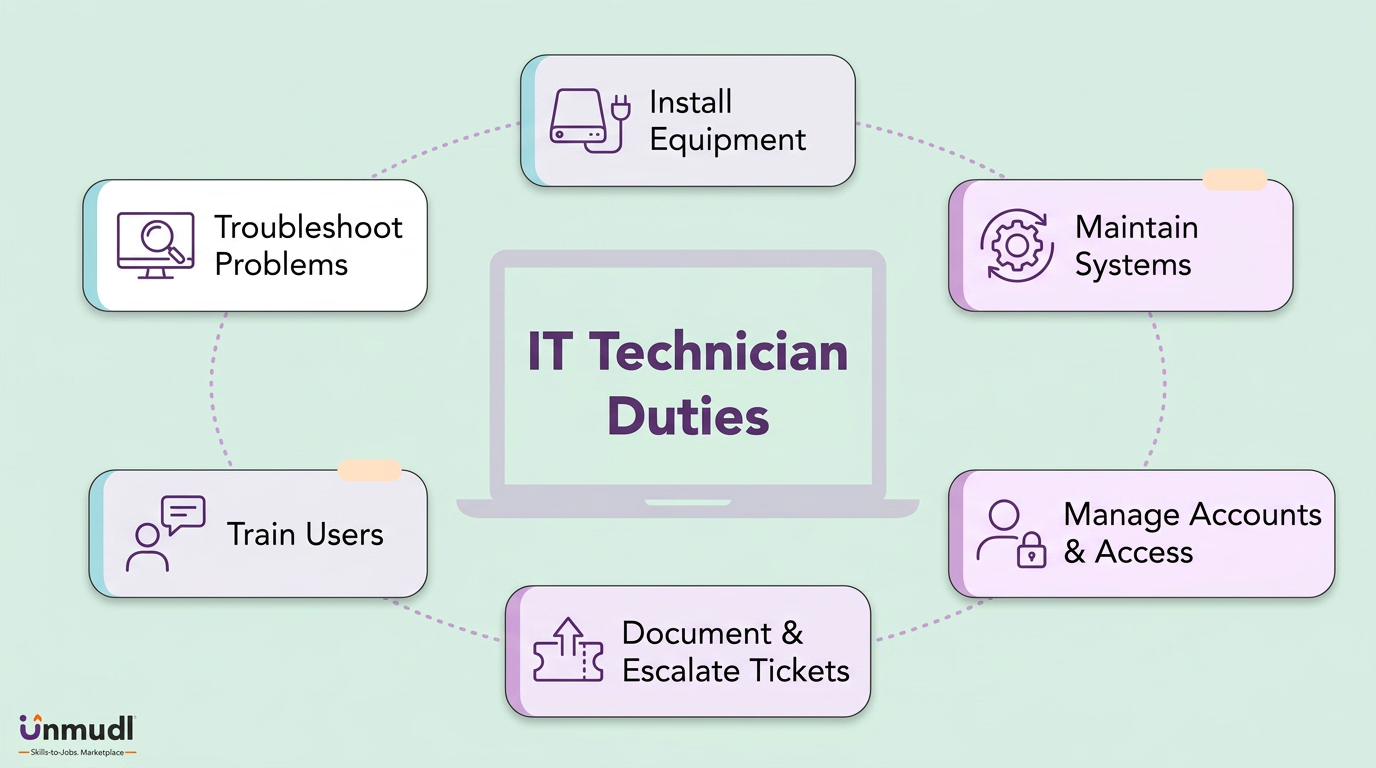
IT technician duties: troubleshoot, install, maintain, manage access, document tickets and train users

There are six core duties of an IT technician, ordered by the support workflow from the first request to the final record. The duties are troubleshooting problems, installing equipment, performing maintenance, managing accounts and access, documenting and escalating tickets, and training users. These duties describe what entry level technology jobs in support demand, and each duty is explained below.

1. Troubleshooting Problems

Troubleshooting is the diagnostic duty that isolates the cause of a fault before any repair begins. The diagnostic method moves from the user's description to the error message, then to a test of the suspect component. Isolation of the cause prevents a repair of the wrong part. Supervisors measure this duty by first-contact closures.

2. Installing Equipment

Installation is the setup duty that places a new computer, printer or program into working service. The setup sequence connects the device, loads the operating system or driver, and applies the organization's configuration. A correct configuration at setup removes faults that would return as tickets. Supervisors schedule this duty around new hires and equipment refreshes.

3. Performing Maintenance

Maintenance is the preventive duty that keeps installed systems current and stable between faults. The preventive routine applies operating system updates, application patches and antivirus definitions on a fixed schedule. Patching on schedule closes known vulnerabilities before an attacker reaches them. Supervisors assign this duty to quiet hours so updates do not interrupt users.

4. Managing Accounts and Access

Account management is the access duty that grants each user the permissions their work requires and nothing more. The rule of least privilege pairs a password policy with multi-factor authentication on every account. Correct permissions protect data while a device is under repair. Supervisors audit this duty because an excessive privilege outlives its ticket.

5. Documenting and Escalating Tickets

Documentation is the record duty that logs each problem and its solution as a closed ticket. The record turns one technician's fix into a reusable answer for the whole team. Escalation follows documentation when a fault exceeds the support tier and lands with the network team. Supervisors read the ticket log to see which faults recur.

6. Training Users

User training is the instructional duty that walks a user through a fix so the same request does not return. The instructional method explains the cause in plain language while the fix is applied. A trained user reports a clearer description of the next fault. Supervisors value this duty because it reduces ticket volume without adding staff.

Carrying out the six duties in workflow order lets the support worker close most tickets at the first tier. The duties stop at the data cable, since mains wiring and lighting circuits belong to a lighting electrician rather than to the support worker. The place where the duties are carried out is set by the employer.

Where does an IT Technician Work?

An IT technician works in any organization that runs computers, with computer systems design firms and schools as the two largest employers of the occupation. Computer systems design firms hire support workers to serve many client companies. Schools, hospitals, banks and government agencies hire them for in-house help desks. The standard week runs 40 hours, with rotating on-call cover for evenings and weekends. Remote-desktop tools close a share of the tickets from home, while hardware repairs still call the worker to the client site. Computer support specialist jobs therefore spread across every sector and setting, and the path into them begins with training.
How to Become an IT Technician?

Becoming an IT technician requires five stages: training, credentials, experience, skills, and a realistic timeline. The five stages are listed below. Training runs through a high school diploma, a college certificate or associate degree, and a home lab. Credentials run through the CompTIA A+, the Network+ and Security+ pair, and a Microsoft fundamentals credential. Experience accumulates at the help desk, in an internship or IT field technician role, and through a documentation habit. Skills divide into hardware, operating system and networking basics, customer service and communication skills, and everyday security practice. The timeline stretches from a few weeks of certification study to the multi-year experience that larger employers expect. BLS records a high school diploma plus relevant training or certificates as the common entry education for computer user support work.

1. What is the Training for an IT Technician?

The training for an IT technician is postsecondary instruction in computer support, network administration, or information technology, taken after secondary school. The instruction reaches a learner through three routes. The routes are the diploma, a certificate or associate degree program, and a home lab. A four-year degree is not a requirement for entry-level support work. Each route is described below.

1.1 Complete a High School Diploma

Complete a high school diploma before any IT coursework. The diploma is the minimum award that certificate programs and employers ask for at entry. Coursework in mathematics, keyboarding, and basic computer applications builds the reading and logic base that troubleshooting demands. Employers treat the diploma as the floor and the later certificate as the differentiator.

1.2 Enroll in a Certificate or Associate Degree Program

Enroll in a certificate or associate degree program in computer support or a related IT field. A community college certificate takes one year and an associate degree takes two years. The program teaches PC hardware repair, Windows and Linux administration, and office network protocols. Larger employers accept an associate degree plus certifications in place of prior work experience.

1.3 Practice in a Home Lab

Practice in a home lab while the program runs. A home lab is a set of spare computers, virtual machines, and a small network that a learner breaks and repairs on purpose. Lab exercises in networking and computer setup count as hands-on projects on a resume. Supporting family devices supplies the same practice at zero cost.

2. What are the Credentials Required for an IT Technician?

The credentials required for an IT technician are vendor certifications rather than a state licence, since no licensing body governs computer user support. There are three credential tiers. The tiers are the CompTIA A+, the CompTIA Network+ with Security+, and a Microsoft fundamentals credential. Each tier is explained below.

2.1 Earn the CompTIA A+ Certification

Earn the CompTIA A+ certification first. The A+ is the foundational credential for support work and covers hardware, operating systems, and basic networking. Its security domain tests device hardening, authentication, and safe computing. Passing the A+ marks the point at which smaller employers extend an offer.

2.2 Add the Network+ and Security+ Certifications

Add the CompTIA Network+ and Security+ certifications after the A+. The Network+ verifies network basics such as addressing, wireless, and virtual private network (VPN) setup. The Security+ verifies entry-level cybersecurity, including password policy and patching. The two certifications together move a support technician toward network and systems roles, and the Cisco Certified Network Associate (CCNA) extends the same path.

2.3 Consider a Microsoft Fundamentals Credential

Consider Microsoft Certified: Fundamentals or a Microsoft 365 credential as the third tier. The credential verifies the Windows and Microsoft 365 administration that password resets and software installs depend on. Training providers list the credential beside the CompTIA set for entry roles. Candidates who hold all three tiers cover the desktop, the network, and the security layer in one resume line.

3. What Experience Does an IT Technician Need?

The experience an IT technician needs is one to three years of hands-on support work at larger employers. Smaller companies waive that requirement for certified candidates. There are three ways to accumulate that experience. The ways are a Tier 1 help desk seat, an internship or field technician role, and a documentation habit. Each way is set out below.

3.1 Start at a Tier 1 Help Desk

Start at a Tier 1 help desk, since the help desk is the first rung of every support career. Tier 1 work consists of password resets, software installs, and ticket triage. The ticket volume trains diagnosis speed and escalation judgment. Practitioners describe the help desk as the usual starting point for later networking and systems administration roles.

3.2 Take an Internship or Field Technician Role

Take an internship or a field technician role when a help desk seat is unavailable. An internship places a student inside a college or corporate IT department, handling tickets and lab projects with virtual machines. A field role sends a worker to client sites to install equipment and cable networks. Field work supplies network equipment practice that a desk seat withholds, at the cost of a slower promotion path.

3.3 Document Every Fix

Document every fix in the ticketing system. The documentation habit is the routine of writing the diagnosis beside the solution on every closed ticket. A documented ticket becomes evidence of competence for the next employer. Supervisors treat a complete ticket history as proof that a technician is ready for senior work.

4. What Skills Does an IT Technician Need?

The skills an IT technician needs are generalist technical skills paired with customer service skills. There are three skill groups to build. The groups are the technical basics of hardware, operating systems and networking, customer service and communication skills, and everyday security practice. Newcomers report surprise at the weight employers place on the second group. Each group is covered below.

4.1 Master Hardware, Operating System and Networking Basics

Master hardware maintenance, operating system installation, and networking basics before the first interview. Hardware maintenance covers replacing failed drives, printers, and peripherals. Operating system installation covers Windows and Linux setup and driver configuration. Networking basics cover TCP/IP addressing, Wi-Fi, and VPN setup. Help desk software ties the three together, since every fix is logged, assigned, and closed inside it.

4.2 Develop Customer Service and Communication Skills

Develop communication and customer service skills alongside the technical set. Communication in support work means listening to the user's description, asking probing questions, and walking the user through each step patiently. Customer service means keeping the user informed while a fix runs. Guides and hiring managers weigh communication beside technical ability at every interview.

4.3 Apply Everyday Security Practices

Apply everyday security practices on every ticket. Everyday security in support work means verifying a user's identity before a password reset and enforcing password rules. It also means installing updates ahead of the handback to the user. Deep incident response stays with the security team. Knowing the boundary between a routine reset and an escalation is itself a skill that employers test.

5. How Long Does It Take to Become an IT Technician?

Becoming an IT technician takes between a few weeks and three years, depending on the route. There are three time bands. The bands are certification study in weeks to months, a college program in one to two years, and an experience window of up to three years for larger employers. The bands overlap, since certification study runs alongside a program or a job. Each band is detailed below.

5.1 Budget Weeks to Months for Certification Study

Budget a few weeks to a few months for certification study. A CompTIA A+ course at a bootcamp or a vendor sets that duration. The short duration makes certification the fastest route into a smaller company. A candidate who studies while working at a help desk compresses the credential and experience bands into one period.

5.2 Allow One to Two Years for a College Program

Allow one to two years for a college program. The longer route adds structured labs and a transcript that larger employers weigh against experience. Provider listings, not labor statistics, set the exact program duration and cost. A learner who pairs the program with a part-time help desk seat finishes with both a transcript and a ticket history.

5.3 Expect One to Three Years to Reach Larger Employers

Expect up to three years of support experience before larger employers shortlist a candidate. The experience band starts at the help desk and ends when a technician holds a ticket history, one or two certifications, and a reference. Reading the three bands together lets a candidate choose the route by the time and money available. The chosen route also decides how fast the technician moves past the entry title.

Can IT Support Technician Become Senior IT Technician?

Yes, an IT support technician becomes a senior IT technician, since employers promote on resolved tickets and earned credentials rather than on years in the title. The promotion path runs from Tier 1 support to Tier 2 troubleshooting and then to a senior technician post. CompTIA Network+, CompTIA Security+, and the CCNA qualify each step upward. Each step upward is applied for with an updated resume.

How to Build Resume for IT Technician?

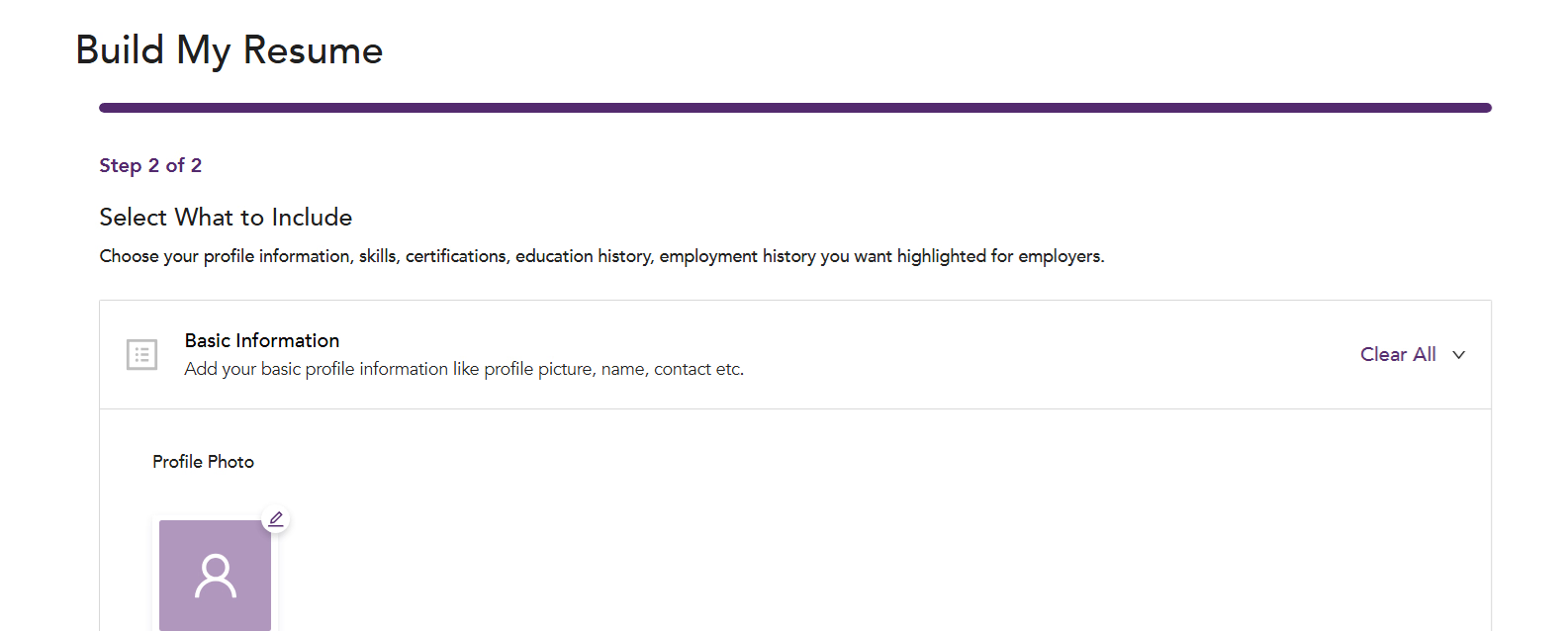
An IT technician resume is built with an applicant tracking system (ATS) compliant resume builder. The builder formats support experience, technical skills, and certifications into a single-column, keyword-matched layout. The Unmudl Resume Builder is one such tool. The tool is free to use without a login. The tool also auto-tailors the finished document to the keyword set of each job the applicant targets. There are six steps to build an IT technician resume on the Unmudl Resume Builder. The steps are opening the builder, entering the summary and experience, adding skills and credentials, letting the tool format and tailor, saving and downloading, and reviewing for completeness. The six steps are listed below.

  • Open the Unmudl Resume Builder from the Build my resume link on unmudl.com, where no account is needed to begin.
    Unmudl resume builder opening screen with the Build My Resume button
  • Enter the contact details, a summary of the IT support role, and each past position with its specific support tasks, such as troubleshooting hardware and network faults.
  • Add the technical skills, such as Windows administration, network configuration, and hardware repair, and the earned certifications, such as CompTIA A+ and Network+, so the tool highlights those keywords.
    Selecting basic information and profile details in the Unmudl resume builder
  • Let the builder format the entries into the single-column ATS layout and match the content to the keywords of each job applied for.
  • Save and download the finished resume as a PDF after creating a free Unmudl account.
  • Review the preview for hands-on evidence, such as networking lab exercises or computer setup projects, before the final download.

Completing these six steps yields a keyword-matched resume that opens tech opportunities across the employer network on Unmudl. The tech opportunities that resume reaches first are the entry level listings on the same platform.

How to Apply for Entry Level IT Technician Job?

An entry level IT technician job is applied for through a job board that filters listings by title and location and forwards the application to the hiring employer. The Unmudl Jobs portal is that board for information technology jobs inside the Unmudl employer network. The portal pairs a title search field with a radius-based location filter. There are seven steps to apply for an entry level IT technician job on the Unmudl Jobs portal. The seven steps are opening the search page, filtering the results, reviewing the listings, signing in, completing the profile, clicking Apply Now, and following the employer's instructions. The steps are listed below.

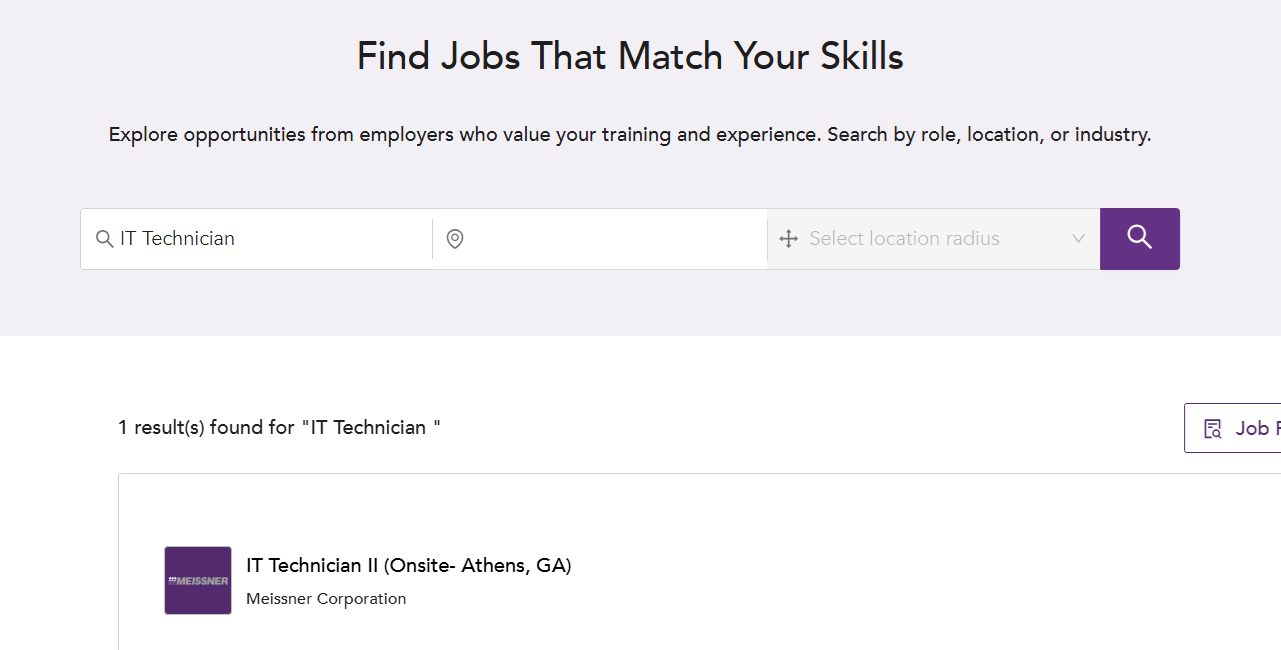
  • Go to the Unmudl job search page at unmudl.com/search-jobs, which carries a Search by job title or company field beside the location filter.
    Searching for IT technician jobs on Unmudl
  • Search "IT Technician" in the title field and narrow the results by location, full-time status, or apprenticeship.
  • Review the listings that match, since each job title links to its own detail page.
  • Open a relevant job detail page and sign in to Unmudl, or create a free account when the page prompts for one.
  • Complete the profile with skills, work experience, and the ATS-compliant resume built earlier.
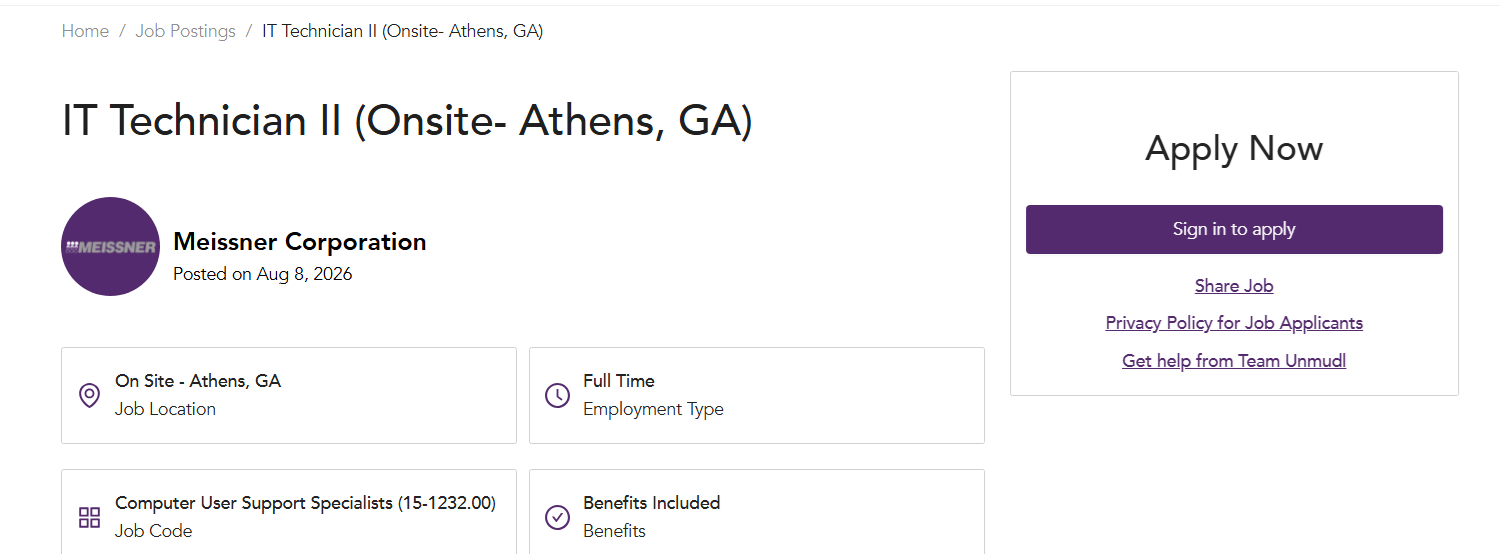
    IT Technician II listing in Athens, Georgia with an Apply Now panel on Unmudl
  • Click the Apply Now button, which submits the application through Unmudl or redirects to the employer's own hiring portal.
  • Follow the employer's instructions when redirected, or wait for Unmudl to mark the application as submitted.

Working through these seven steps places the application in front of employers posting information technology jobs. Those employers read the training courses on the profile before they read anything else.

What is the Best IT Technician Training Courses?

The best IT technician training course is the CompTIA A+ certification, the foundational credential that covers computer hardware, operating systems, and basic networking. The Unmudl courses that build the troubleshooting base beneath that credential are Multi-Craft Technician: Level 1 and Instrumentation and Control Technician: Fundamentals of Instrumentation. Multi-Craft Technician: Level 1 is a Unmudl Original that teaches operations monitoring, general troubleshooting, and systems analysis. Instrumentation and Control Technician: Fundamentals of Instrumentation covers troubleshooting of circuit and fluid systems together with introductory Ethernet maintenance. Both Unmudl Originals develop the analytical and safety habits that an IT technician training path reuses on end-user devices. The A+ credential then adds the computer-specific layer, and its exam devotes a whole domain to security.

What Cybersecurity knowledge Does an IT Technician Need?

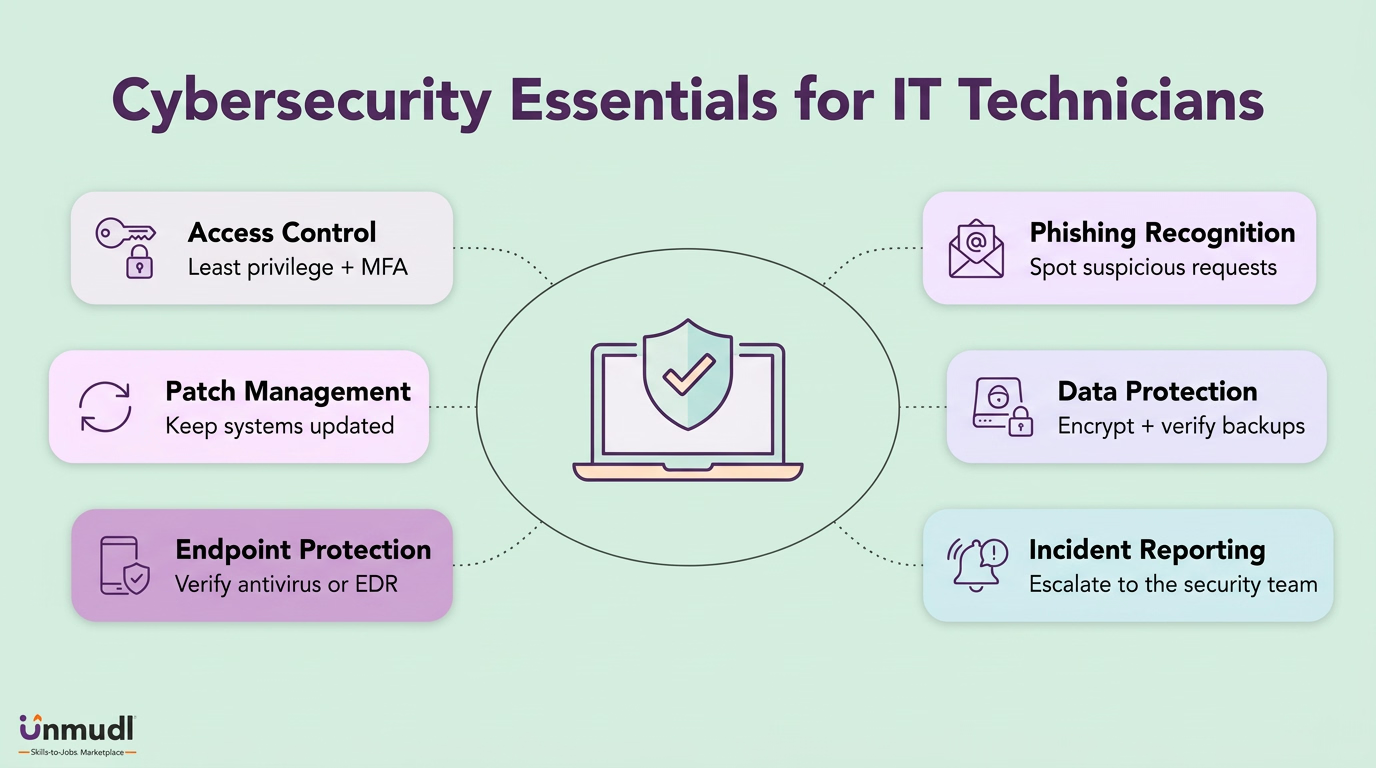
Cybersecurity essentials for IT technicians: access control, patches, endpoint protection, phishing, data protection and incident reporting

An IT technician needs six areas of cybersecurity knowledge, which are access control and authentication, patch management, endpoint protection, phishing recognition, secure data handling with backups, and incident reporting. Access control and authentication is the practice of granting each user account the least privilege its work requires. The same practice protects that account with multi-factor authentication. Patch management is the scheduled installation of operating system and application updates that close known vulnerabilities before a device returns to service. Endpoint protection is the installation and verification of antivirus or endpoint detection and response (EDR) software on every user machine. Phishing recognition is the ability to spot a fraudulent email or social-engineering request before resetting a credential for it. Secure data handling is the encryption of sensitive data at rest and in transit, paired with a verified backup before any repair begins.

Incident reporting is the escalation of a confirmed breach or an unusual security event to the security team under the organization's incident-response plan. The boundary of the support role in security is preventive. The worker applies firewalls, password policies, patches, and backups, and refers deeper investigations to the specialists. CompTIA weights the Security domain of the A+ certification exam at about 24% of the questions, according to the CompTIA A+ exam objectives. Reading that weighting shows how much defensive knowledge a support role carries before the network team is ever called.

What to know about IT Technician Besides Network Technician?

An IT technician differs from a network technician in the object each role supports. The object is the end user's workstation for the first role and the network infrastructure for the second. A network technician is a computer network support specialist. The specialist analyzes, tests, troubleshoots, and evaluates existing network systems such as local area networks (LANs), wide area networks (WANs), and servers. The network technician spends the working day configuring routers, switches, and VPNs or restoring a connectivity outage. The IT technician spends the same day repairing a PC that fails to boot, installing office software, or resetting a user's password. Both roles share networking basics. Both roles diverge at the escalation boundary. A network technician hands server and software faults to systems administrators, while an IT technician hands a complex network outage to the network team. Both roles file under the wider technician occupation.

What to know about IT Technician Besides Technician?

A technician is the skilled worker who installs, maintains, and repairs a system within a technical field. An IT technician is the kind of technician whose system is the end user's computer, software, and peripherals. The technician occupation divides by the system maintained. A multi-craft technician services plant equipment, an instrumentation and control technician services circuit and fluid systems, and an IT technician services user-facing computing. Every kind of technician runs the same four-move workflow of identifying the fault, diagnosing the cause, resolving or escalating it, and verifying the fix. The tools differ by kind, since the IT branch works through a ticketing system and remote-desktop software rather than through gauges and control loops. The credentials differ by kind as well, with CompTIA A+ marking the IT branch. Choosing the IT branch of the technician occupation therefore means choosing computer systems as the object of that shared workflow.

Learn In Demand Skills Employers Are Hiring For

Explore our career-ready "Mechatronics and Robotics Maintenance" designed with employers to help you get hired faster. Train for industrial maintenance in ~10–12 weeks, earn a certificate and get ready to interview for technician roles.
No items found.
No items found.
Last updated on:
October 19, 2026
No items found.